Naples Notary Public
SMS alert proof
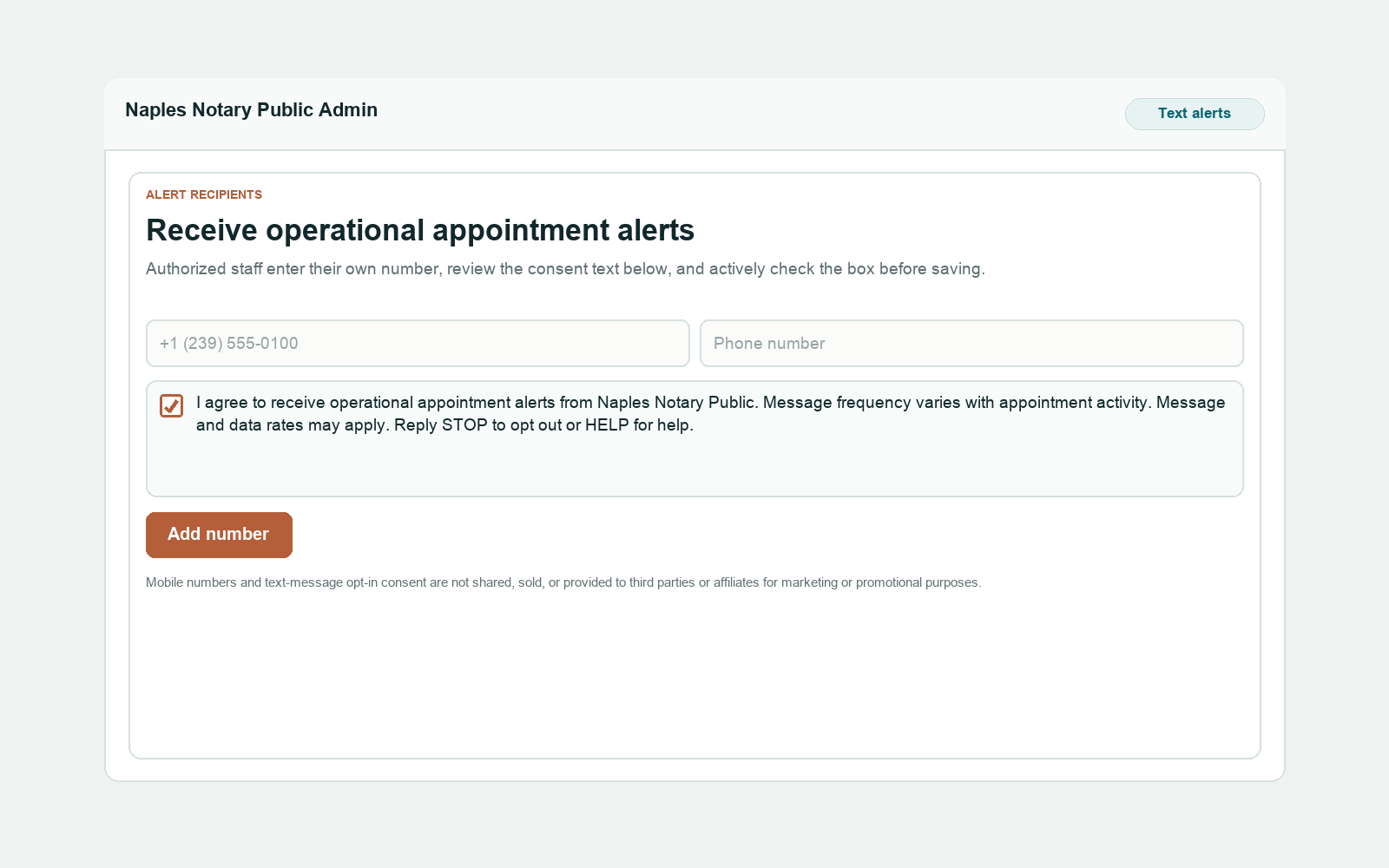
This page shows the exact opt-in flow Twilio can verify: staff enter their own number, check an unchecked consent box, and save it for operational alerts.
Call to action and opt-in path
Authorized Naples Notary Public staff opt in by opening the password-protected alert settings page, entering their own mobile number, explicitly checking the consent box, and clicking Add number to receive operational appointment alerts.
The consent checkbox is unchecked by default. The alerts are optional and are not required to use the website or request an appointment.
- The opt-in applies only to operational appointment alerts for Naples Notary Public.
- Message frequency varies with appointment activity.
- Message and data rates may apply.
- Reply STOP to opt out or HELP for help.
- Mobile numbers and text-message opt-in consent are not shared, sold, or provided to third parties or affiliates for marketing or promotional purposes.
Privacy Policy: naplesnotarypublic.com/privacy.html
Terms and Conditions: naplesnotarypublic.com/terms.html